My domain name has expired, how do I get it back?
Has your domain name expired? Read how to renew it, what quarantine means and why restoring a domain from quarantine costs extra.
By Yvan Watchman Updated
You can usually get an expired domain name back, but how depends on how long ago it expired. As long as it is still in your account, you renew it. If it is already in quarantine at the registry, only you can still get it back, with a restore. After that, it is free for anyone to register. So don't wait.
What you need
- Access to the client area at my.planetnode.net
- The domain name that has expired
Step 1: check the status in the client area
- Log in at my.planetnode.net.
- Go to Services and open My Domains.
- On the left, under View, choose Expired. You will see your expired domain names with their Next Due date and Status.
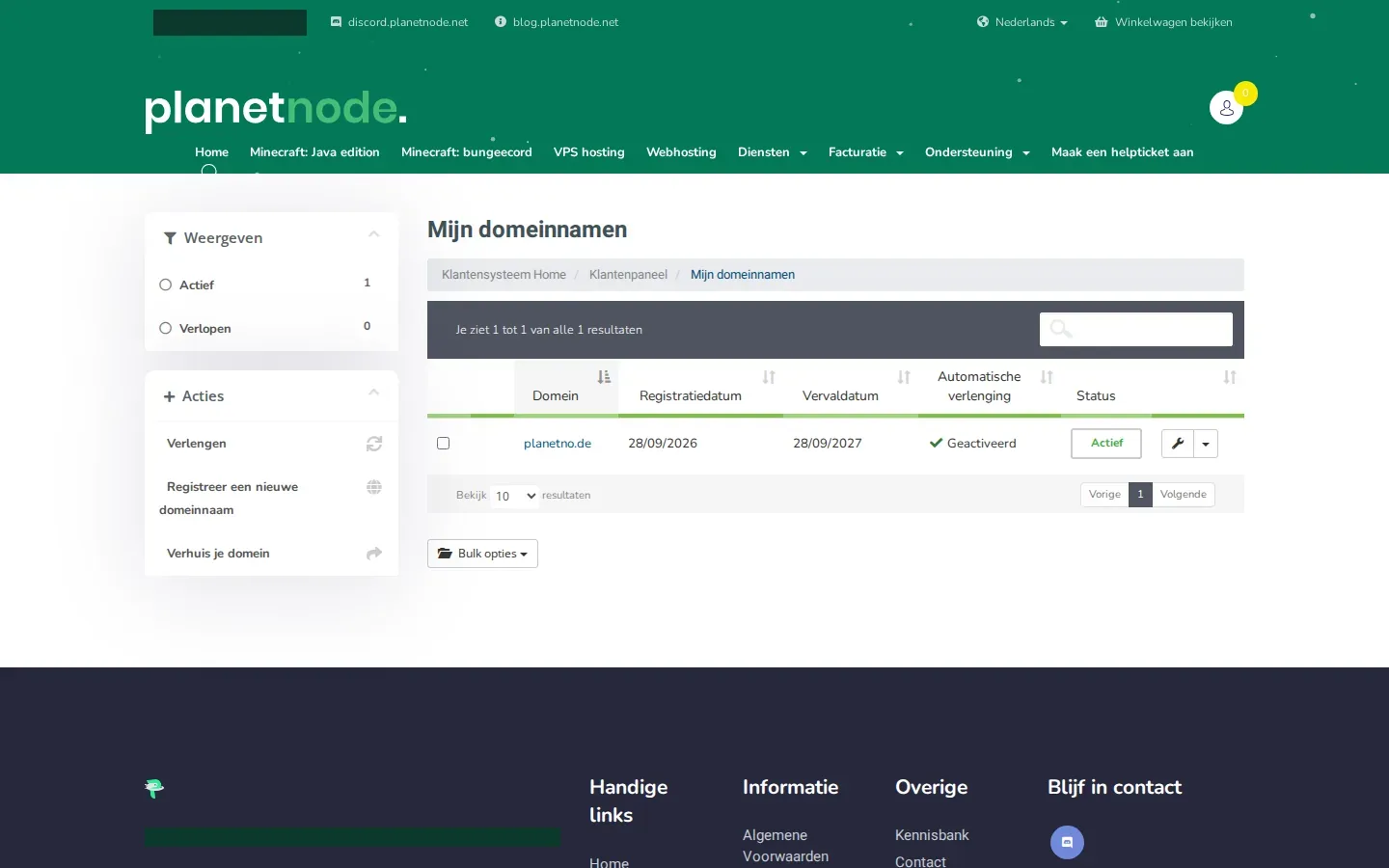
Step 2: renew the domain name
- On the left, under Actions, click Renew.
- Find your domain name on the Domain Renewal page and choose how long you want to renew it for under Available Renewal Periods.
- Click Add to Cart and complete the order.
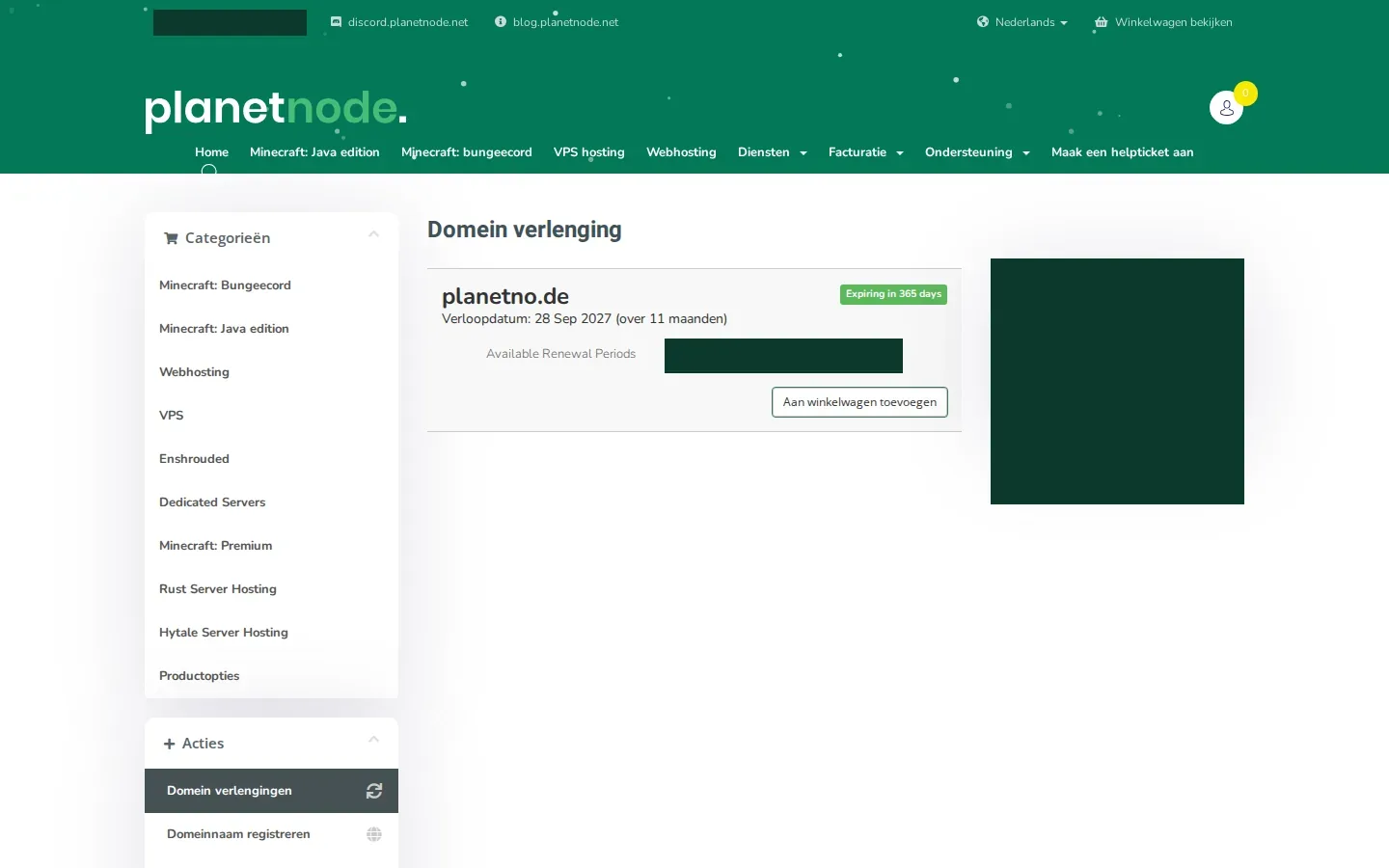
Can't you renew your domain name here (any more)? Then it has probably already been cancelled and gone into quarantine. In that case, go to step 3.
Step 3: restore the domain name from quarantine
After it expires and is cancelled, a domain name goes into quarantine at the registry. During that period it does not work, and only the previous holder can get it back. After the quarantine, anyone can register it.
How long the quarantine lasts differs per extension. For .nl, .be and .eu it is 40 days. For other extensions, you can find it on the page of that extension, for example .nl or .com.
Getting a domain name out of quarantine is called a restore. We arrange it for you:
- Open a ticket.
- Mention the domain name and that you want to restore it from quarantine.
- We will send you the exact price. Once you agree, we start the restore.
Why does a restore cost extra?
The registry charges the registrar a separate fee for a restore. That amount differs per extension and is often a lot higher than a normal renewal. PlanetNode passes these costs on. That is why getting it back costs money, even though it is your own domain name. You can find the normal rates for registering and renewing in the domain name prices.
Note
Once the quarantine is over, you can only register the domain name again if nobody else has registered it in the meantime.
Check
After the renewal or the restore, the domain name is listed under Active in My Domains again, with a new Next Due date. If your website or email does not work right away, give DNS some time to update.
Preventing it from happening again
- Keep Auto Renew switched on. You can see the setting in the Auto Renew column in My Domains.
- Make sure the email address in your account is correct, so you receive reminders and invoices.
- Renew in time, before the expiry date.
Stuck? Open a ticket and mention your domain name.
Did this article help you?