How do I change the Java version of my Minecraft server?
Every Minecraft version needs its own Java version. This is how you choose the right Java version for your Minecraft server in the game panel.
By Hermie Updated
You choose the Java version of your Minecraft server in the game panel under Startup, at Docker Image. The version you need depends on the Minecraft version you run. If it is wrong, your server will not start.
Which Java version do I need?
| Minecraft version | Java version |
|---|---|
| 26.1 and newer | Java 25 |
| 1.20.5 up to 1.21.11 | Java 21 |
| 1.18 up to 1.20.4 | Java 17 |
| 1.17 | Java 17 (at least Java 16) |
| 1.16.5 and older | Java 8 or Java 11 |
Tip
Pick the version from the table, not simply the newest one available. A Java version that is too old never works, but a much newer Java can cause problems with older plugins or mods.
Change the Java version
- Log in to the game panel and open your server.
- Stop your server with Stop.
- Go to the Startup tab.
- At Docker Image, choose the Java version from the table above.
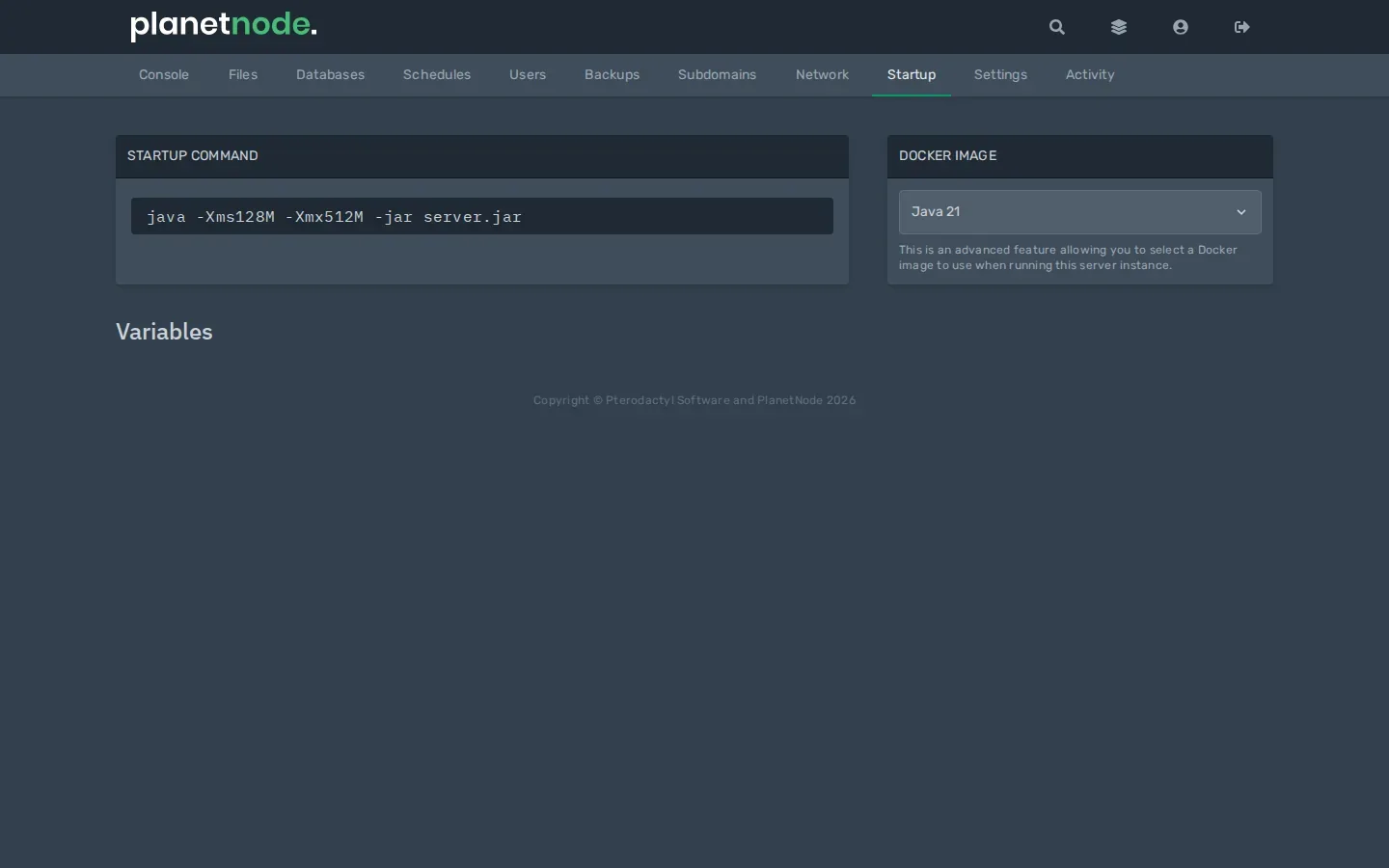
- Go back to Console and start your server with Start.
Check
When the server starts, the top of the console shows which Java version is used, for example openjdk version "25...". If the server then starts normally, you are done.
Error: UnsupportedClassVersionError
If the console shows a message like this, your Java version is too old:
java.lang.UnsupportedClassVersionError: ... has been compiled by a more recent version of the Java Runtime (class file version 69.0), this version of the Java Runtime only recognizes class file versions up to 65.0The first number tells you which Java the server needs:
| Class file version | Java version |
|---|---|
| 69 | Java 25 |
| 65 | Java 21 |
| 61 | Java 17 |
| 52 | Java 8 |
Choose that Java version at Docker Image and start your server again.
Related
Did this article help you?
Related articles
How do I change the version of my Minecraft server?
How to move your Minecraft server to a different version: download the jar from our mirror, replace server.jar and choose the right Java version.
How do I install mods on my Minecraft server?
How to install mods on your Minecraft server with Fabric: place the server launcher, add Fabric API and upload your mods to the mods folder.
Why does my Minecraft server crash?
Does your Minecraft server crash or not start? Find the error and fix the most common causes, from the Java version to plugins and memory.
Why can't I connect to my Minecraft server?
Cannot connect to your Minecraft server? Go through the most common causes: server off, wrong address, different version, whitelist or mods.