How do I change the version of my Minecraft server?
How to move your Minecraft server to a different version: download the jar from our mirror, replace server.jar and choose the right Java version.
By Yvan Watchman Updated
You switch Minecraft versions by replacing the file server.jar with the jar of the version you want. Every version of Paper, Purpur, Spigot and Vanilla is ready on our mirror. It updates automatically, so a new version is there right away.
Make a backup first
A world that has been opened on a newer version cannot go back to an older version. Always make a backup first.
What you need
- Access to the game panel
- The name of the version you want, for example
paper-26.2.jar
Change the version
- Make a backup of your server.
- Stop your server with Stop in the console.
- Download the jar of the version you want from the mirror.
- In the game panel, go to Files and delete the file
server.jar. - Upload the new jar with Upload. For large files, SFTP is easier.
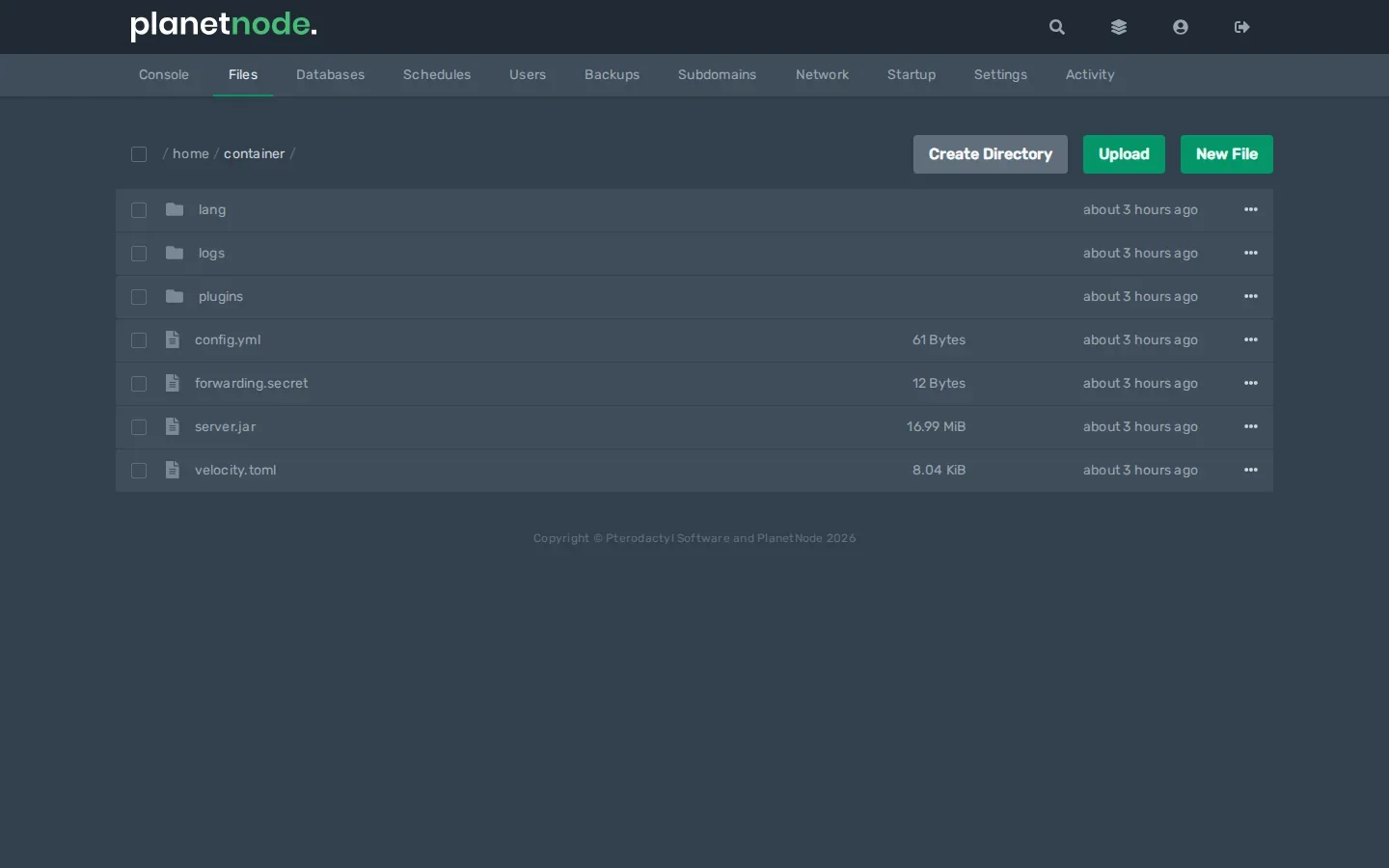
- Click the three dots next to the new file, choose Rename and name it
server.jar. - Check that the Java version matches the new Minecraft version. See How do I change the Java version of my Minecraft server?
- Start your server with Start.
Check
During startup the console shows a line like Starting minecraft server version 26.2. That tells you the new version is running.
Which server type do I choose?
| File on the mirror | When to use it |
|---|---|
paper-...jar |
The default choice: fast and works with plugins |
purpur-...jar |
Paper with extra settings |
spigot-...jar |
Only if a plugin really needs Spigot |
vanilla-...jar |
The official Mojang server, without plugins |
snapshot-...jar |
Mojang test versions; not for a world you want to keep |
Good to know
The mirror has no jar for Forge, NeoForge or Fabric (mods). See How do I install mods on my Minecraft server?
Plugins after an update
Not every plugin works on a new Minecraft version right away. If your server does not start or a plugin stops working, check the plugin's page for an update.
Did this article help you?
Related articles
How do I change the Java version of my Minecraft server?
Every Minecraft version needs its own Java version. This is how you choose the right Java version for your Minecraft server in the game panel.
How do I install mods on my Minecraft server?
How to install mods on your Minecraft server with Fabric: place the server launcher, add Fabric API and upload your mods to the mods folder.
Why does my Minecraft server crash?
Does your Minecraft server crash or not start? Find the error and fix the most common causes, from the Java version to plugins and memory.
Why can't I connect to my Minecraft server?
Cannot connect to your Minecraft server? Go through the most common causes: server off, wrong address, different version, whitelist or mods.