How do I let Bedrock players join my Java server?
How to let Bedrock players join your Java Minecraft server with Geyser: add an extra port, install Geyser and set the port.
By Yvan Watchman Updated
With the Geyser plugin, players on Minecraft Bedrock Edition (phone, tablet, console and the Windows version from the Microsoft Store) can play on your Java server. Geyser needs its own port, which you add in the game panel.
Real Bedrock server?
If you only play Bedrock, you can also get a Bedrock server. Then you do not need Geyser. See How do I join my Minecraft server?
What you need
- A server running Paper, Purpur or Spigot. On Velocity or BungeeCord, install Geyser on the proxy only.
- A second port for Geyser.
Step 1: Add an extra port
- Log in to the game panel and open your server.
- Go to Network and click Create Allocation.
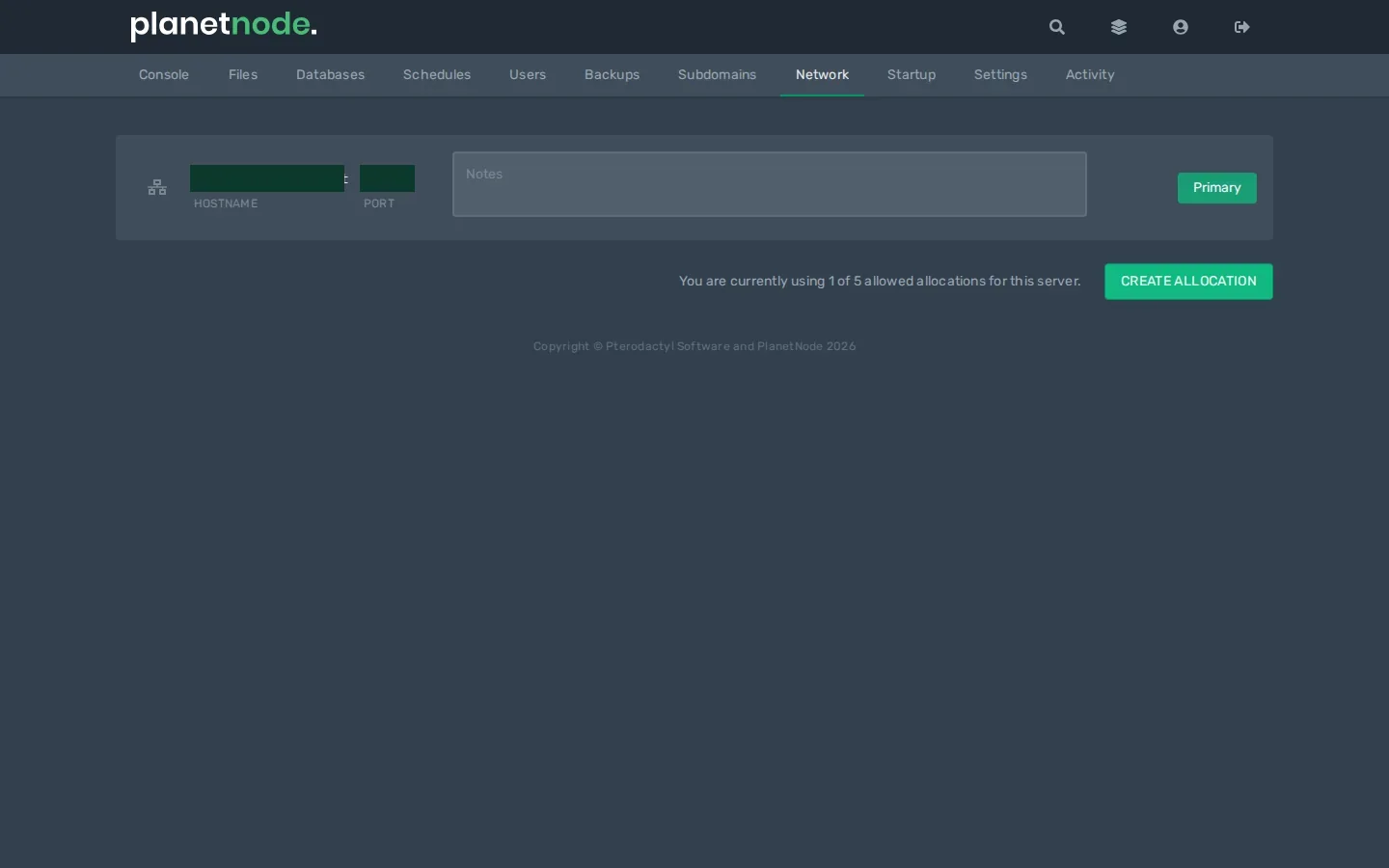
- Note the number of the new port at Port. Optionally enter
Geyserat Notes.
Tip
Cannot add a port? Open a ticket and we will set one up for you.
Step 2: Install Geyser
- Download Geyser for Spigot/Paper (or for Velocity or BungeeCord) from geysermc.org.
- Go to Files, open the
pluginsfolder and upload the file with Upload. - Start or restart your server. Geyser now creates the folder
plugins/Geyser-Spigotwith aconfig.yml.
Step 3: Set the port
- Stop your server.
- Open
plugins/Geyser-Spigot/config.yml. - Under
bedrock:, find theport:line and enter the new port from step 1:
bedrock:
  port: 25643
Use your own port number instead of 25643.
- Click Save Content and start your server.
Let Bedrock players join
Bedrock players add a server with:
- Server Address: your server's hostname (the part before the colon at Address)
- Port: the Geyser port from step 1
Without a Java account
By default, Bedrock players also need a Java account. If you install Floodgate next to Geyser, they can join with just their Microsoft account.
Check
After startup the console shows Started Geyser on UDP port ... with your port. A Bedrock player sees the server in their list and can join.
Did this article help you?
Related articles
How do I change the Java version of my Minecraft server?
Every Minecraft version needs its own Java version. This is how you choose the right Java version for your Minecraft server in the game panel.
How do I change the version of my Minecraft server?
How to move your Minecraft server to a different version: download the jar from our mirror, replace server.jar and choose the right Java version.
How do I install mods on my Minecraft server?
How to install mods on your Minecraft server with Fabric: place the server launcher, add Fabric API and upload your mods to the mods folder.
Why does my Minecraft server crash?
Does your Minecraft server crash or not start? Find the error and fix the most common causes, from the Java version to plugins and memory.