How do I make a backup of my Minecraft server?
How to make a backup of your Minecraft server in the game panel, download it and restore it. Also: making your own copy via SFTP.
By Yvan Watchman Updated
You make a backup of your Minecraft server in the game panel under Backups, with the Create Backup button. If you also want a copy on your own computer, download that backup or fetch the files via SFTP.
Make a backup in the game panel
- Log in to the game panel and open your server.
- Go to the Backups tab.
- Click Create Backup.
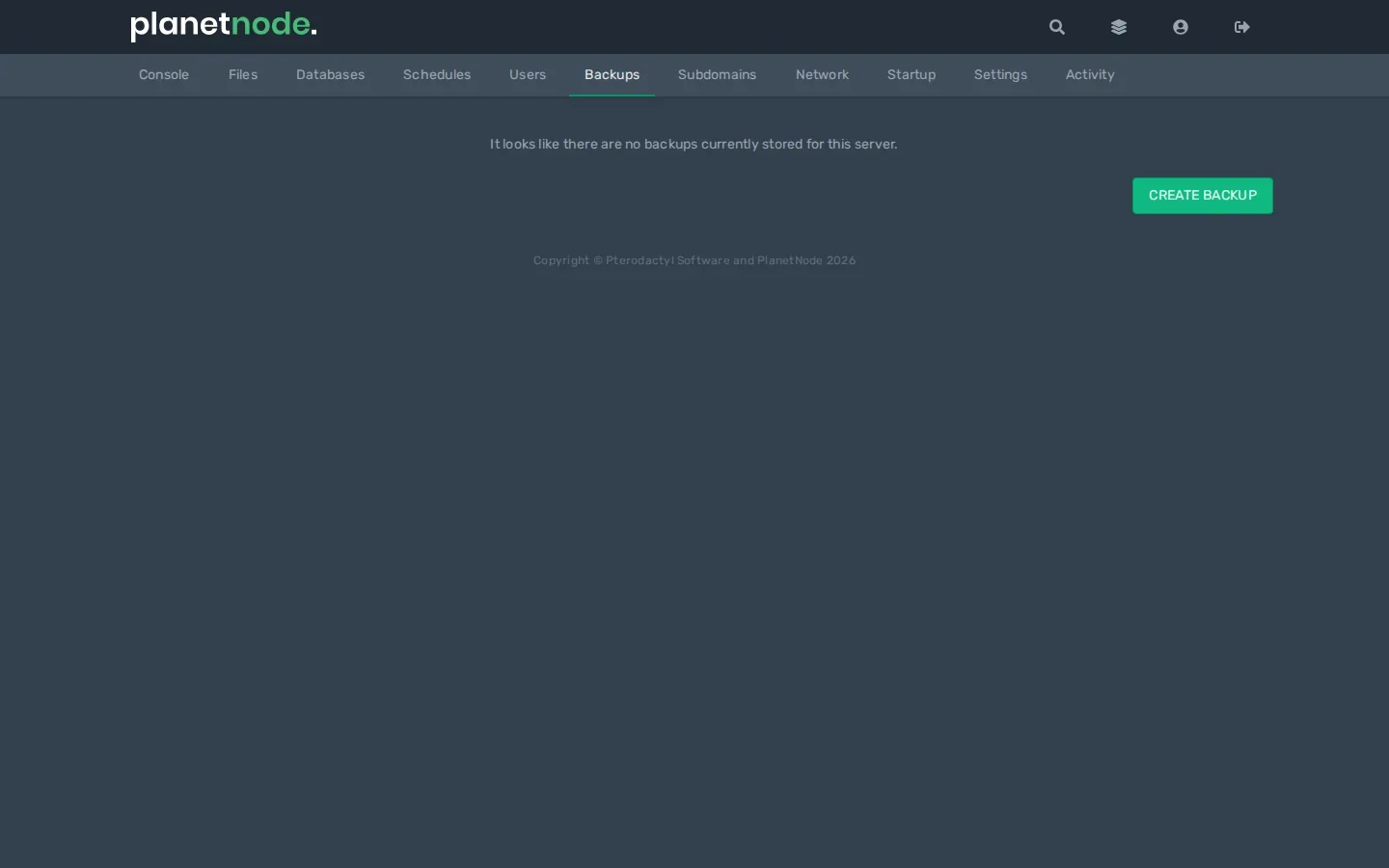
- Give the backup a name you recognise, for example
before update 26.2, and confirm. - Wait until the backup is finished. It then appears in the list.
Tip
Always make a backup before you change the version, install a new plugin or mod, or change your world.
Download or restore a backup
Click the three dots next to a backup in the list:
- Download saves a copy to your own computer.
- Restore puts the server back to that backup.
Note
Restore overwrites your server's current files. Everything that changed after the backup is lost.
Cannot make a backup?
The number of backups per server is limited. If you have reached the maximum, first delete an old backup with the three dots and Delete.
Make your own copy via SFTP
If you only want to keep your world, or want more copies than fit in the game panel:
- Stop your server so the world does not change while copying.
- Connect with SFTP.
- Download your world folder (by default
world, and on Paper alsoworld_netherandworld_the_end) or all files to a folder on your computer.
Check
The new backup is listed under Backups, with its date and size.
Did this article help you?
Related articles
How do I change the Java version of my Minecraft server?
Every Minecraft version needs its own Java version. This is how you choose the right Java version for your Minecraft server in the game panel.
How do I change the version of my Minecraft server?
How to move your Minecraft server to a different version: download the jar from our mirror, replace server.jar and choose the right Java version.
How do I install mods on my Minecraft server?
How to install mods on your Minecraft server with Fabric: place the server launcher, add Fabric API and upload your mods to the mods folder.
Why does my Minecraft server crash?
Does your Minecraft server crash or not start? Find the error and fix the most common causes, from the Java version to plugins and memory.