Where can I find my invoices and how do I download them?
All your invoices are in the client area under Billing and My Invoices. Open an invoice and download or print it with one click.
By Hermie Updated
All your invoices are in the client area under Billing and My Invoices. There you open an invoice and download or print it. You also receive your invoices by email.
View your invoices
- Log in to my.planetnode.net.
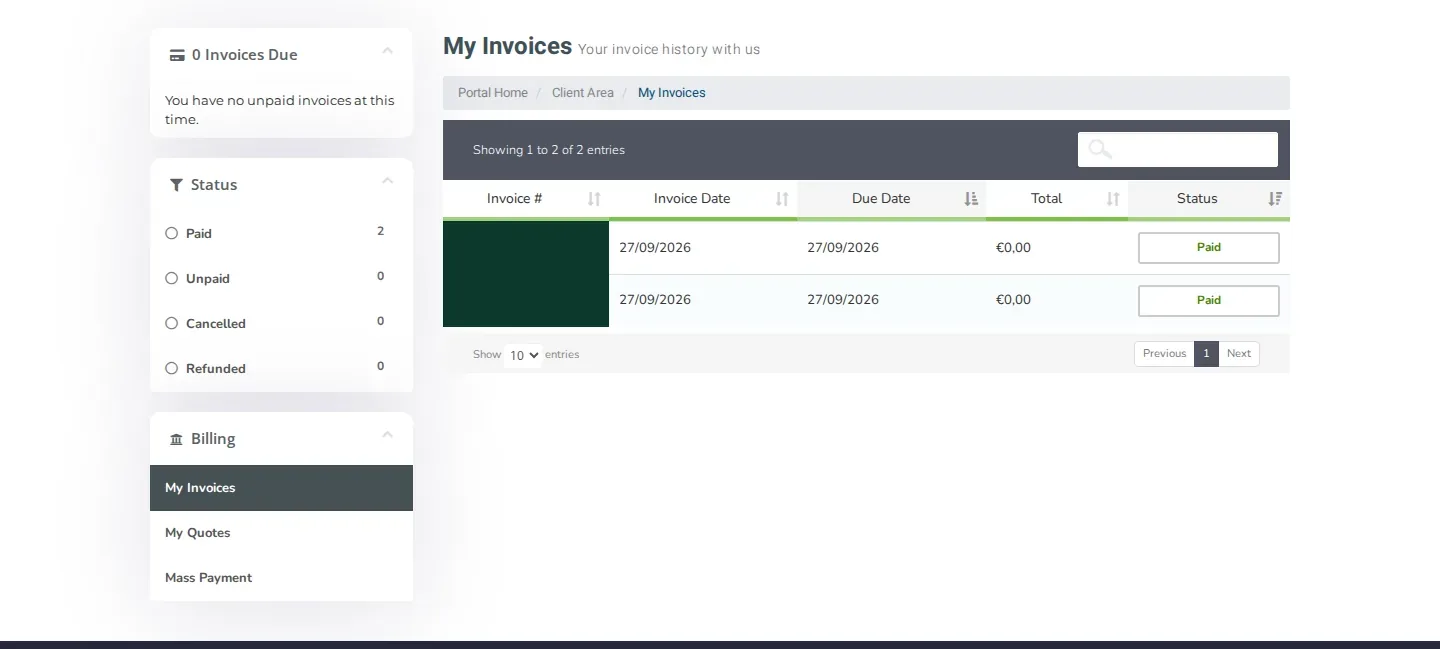
- In the top menu, click Billing and then My Invoices.
- You now see all your invoices with the Invoice #, Invoice Date, Due Date, Total and Status.
Filter and search
On the left under Status you filter by Paid, Unpaid, Cancelled or Refunded. Use the search field above the list to find an invoice by number or amount.
Download or print an invoice
- Click the invoice you need in the list.
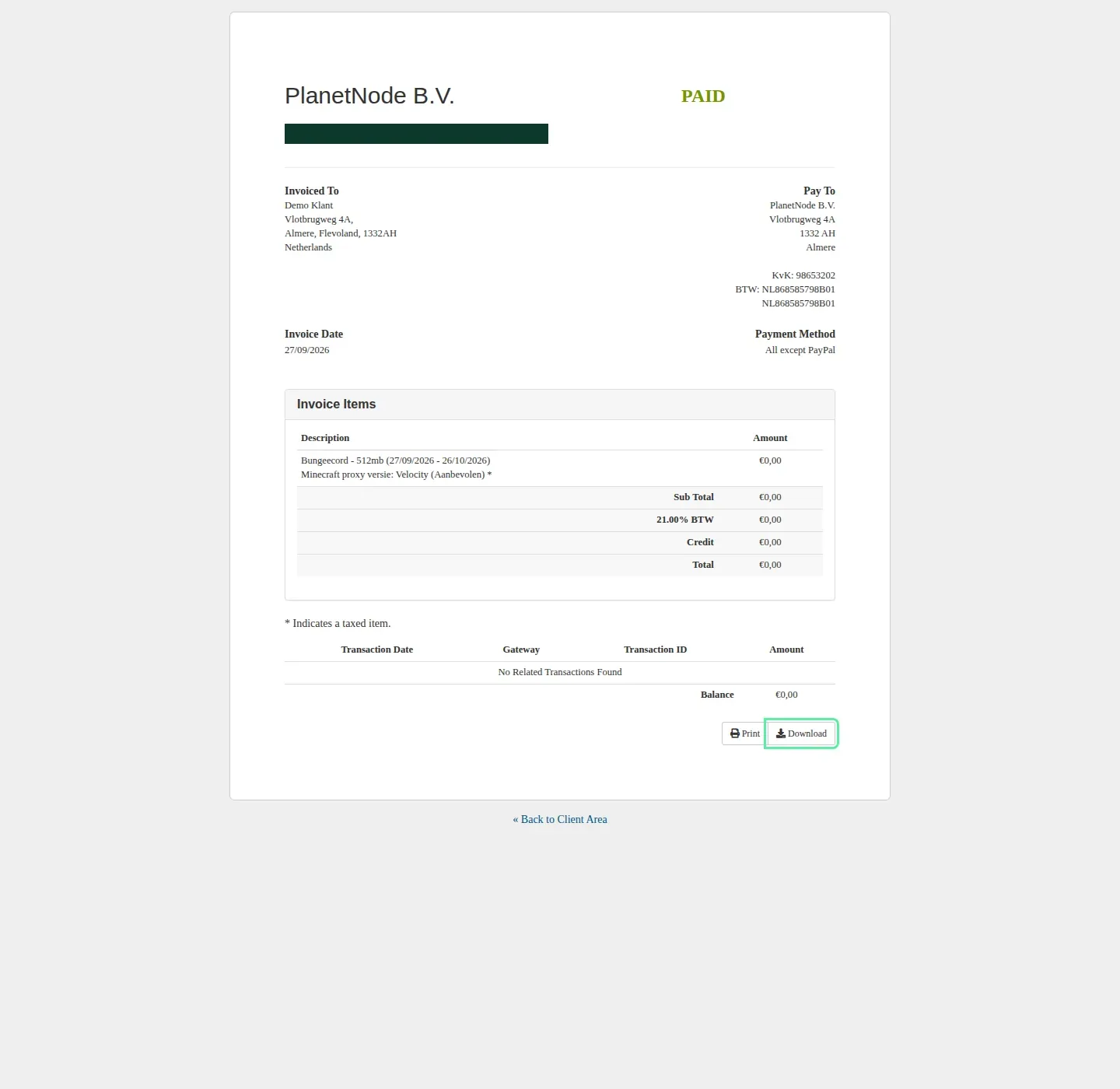
- The invoice opens. At the bottom are the Print and Download buttons.
- Click Download to save the invoice, or Print to print it.
- Click « Back to Client Area to return to the client area.
What is on the invoice?
At the top, Invoiced To shows your own details and Pay To shows the details of PlanetNode, with our Chamber of Commerce (KvK) and VAT (BTW) numbers. Under Invoice Items you find the services with their period and amount.
Are your name, company name, address or VAT number wrong on the invoice? Update your details via My Details, or open a ticket with the Administratie department for details you cannot change yourself.
Related articles
Did this article help you?
Related articles
How do I upgrade or downgrade a service?
Move your service to a bigger or smaller package via Upgrade and the Upgrade/Downgrade page in the client area.
How do I cancel my service?
Cancel a service in the client area with Request Cancellation and choose whether it takes effect immediately or at the end of the billing period.
How do I pay an outstanding invoice?
Pay an outstanding invoice in the client area via My Invoices, or pay all your unpaid invoices at once with Mass Payment.
Which payment methods can I use?
Find the possible payment methods to order at PlanetNode.