How do I pay an outstanding invoice?
Pay an outstanding invoice in the client area via My Invoices, or pay all your unpaid invoices at once with Mass Payment.
By Hermie Updated
You pay an outstanding invoice in the client area. Open the invoice under Billing and My Invoices and pay with one of our payment methods. If you have several unpaid invoices, pay them together with Mass Payment.
Find your unpaid invoices
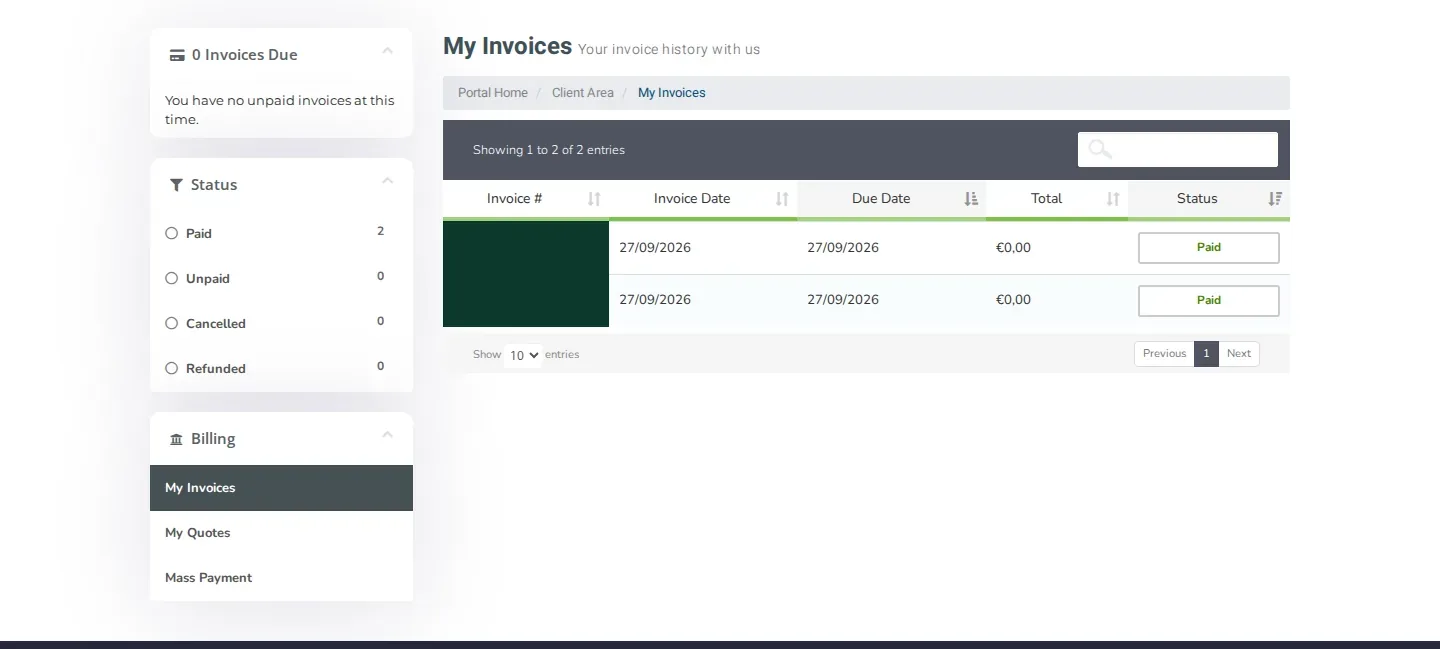
On the left of the My Invoices page, Invoices Due shows how many invoices you still have to pay. Click Unpaid under Status to see only those invoices.
Pay one invoice
- Log in to my.planetnode.net.
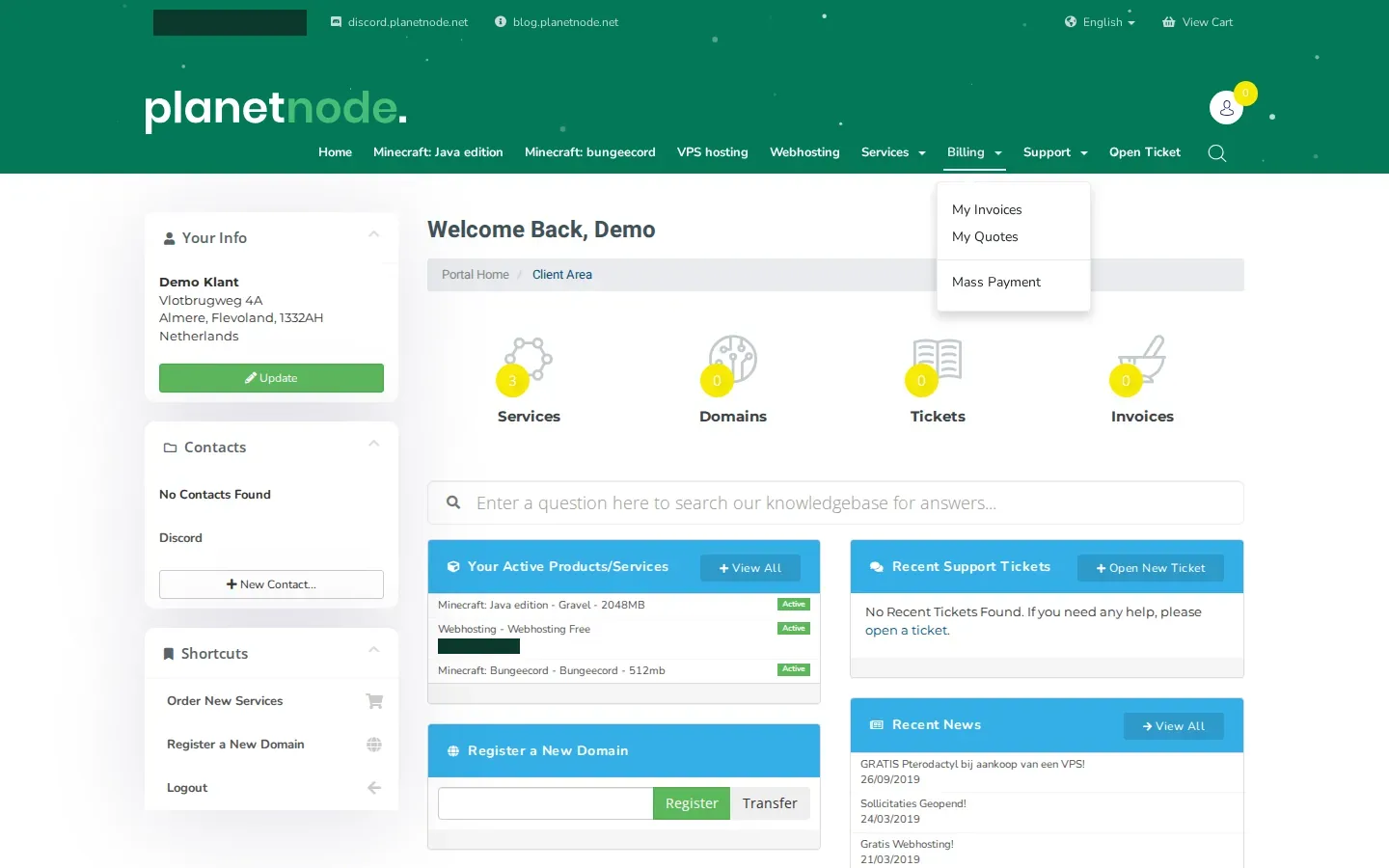
- In the top menu, click Billing and then My Invoices.
- Click the invoice with the status Unpaid.
- Choose your payment method on the invoice and start the payment.
- Complete the payment with the payment provider. You then return to the client area.
Mass Payment
Mass Payment lets you pay all your unpaid invoices in one payment.
- In the top menu, click Billing.
- Click Mass Payment. This option is also in the Billing menu on the left of the My Invoices page.
- Check the list of invoices and the total amount.
- Choose your payment method and complete the payment.
Check
After a successful payment, the invoice gets the status Paid. You also receive a payment confirmation by email, which you can find under Email History as well.
Invoice still shows Unpaid?
A payment can take a moment to be processed. If the invoice still shows Unpaid after your payment, open a ticket with the Administratie department and mention the invoice number.
Related articles
Did this article help you?
Related articles
Where can I find my invoices and how do I download them?
All your invoices are in the client area under Billing and My Invoices. Open an invoice and download or print it with one click.
How do I upgrade or downgrade a service?
Move your service to a bigger or smaller package via Upgrade and the Upgrade/Downgrade page in the client area.
How do I cancel my service?
Cancel a service in the client area with Request Cancellation and choose whether it takes effect immediately or at the end of the billing period.
Which payment methods can I use?
Find the possible payment methods to order at PlanetNode.