How do I join my Minecraft server?
How to find your Minecraft server's address in the game panel and add the server in Minecraft Java Edition or Bedrock Edition.
By Hermie Updated
You join your Minecraft server with the address shown at Address in the game panel. It consists of a hostname and a port, for example mc00.planetnode.net:25565. You add that address as a server in Minecraft.
Find your server address
- Log in to the game panel and open your server.
- On the right of the Console, Address shows your server's address. Copy all of it, including the colon and the port.
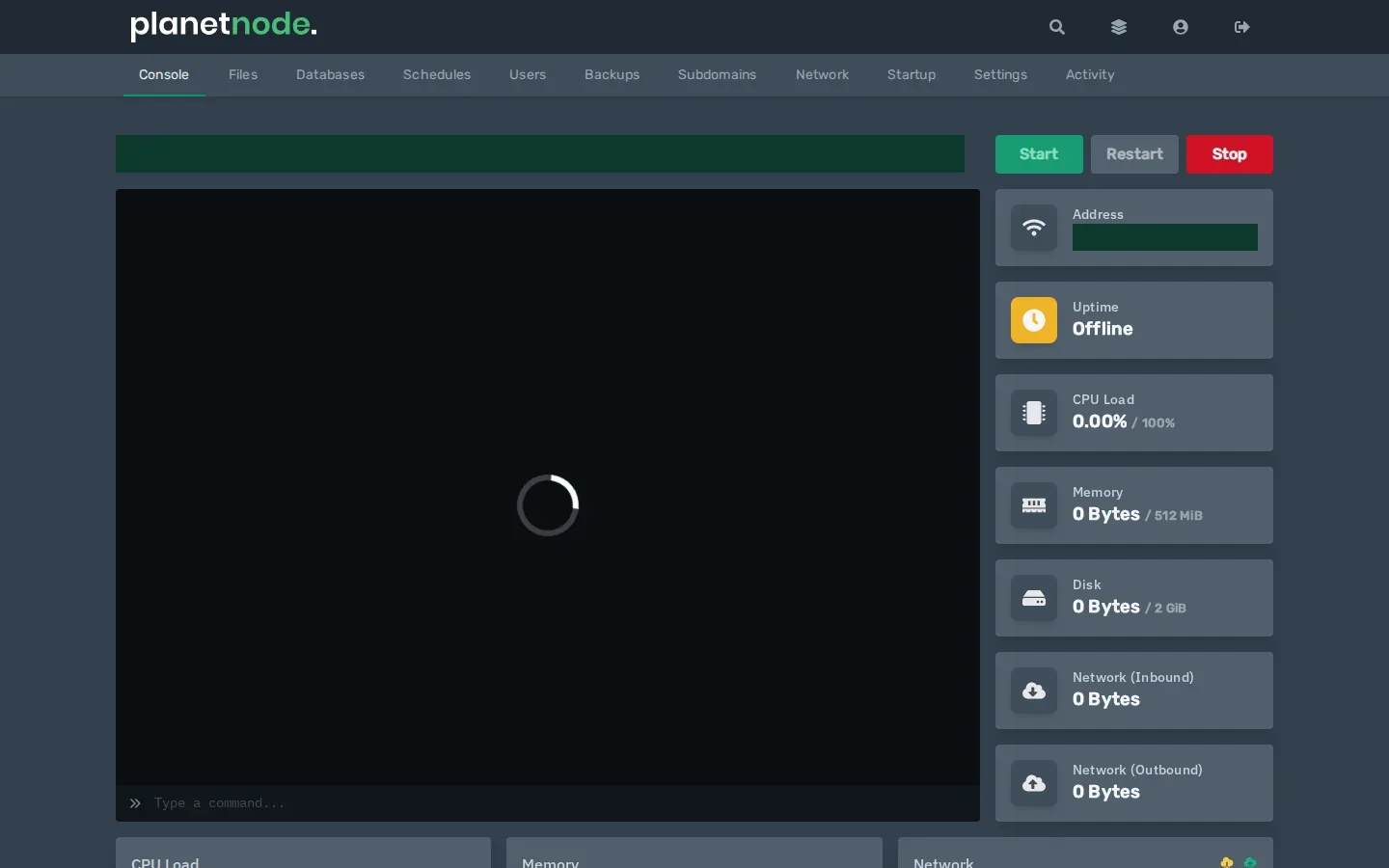
- Make sure your server is running. If Uptime says
Offline, click Start.
Easier address
Want an address you can remember, like play.yourdomain.com? Read How do I set up a play. address for my Minecraft server?
Join with Minecraft: Java Edition
- Start Minecraft and choose Multiplayer.
- Click Add Server.
- At Server Name, enter a name you recognise.
- At Server Address, paste the address from the game panel.
- Click Done and double-click your server in the list.
Versions must match
Your Minecraft launcher must use the same version as your server. If your server runs 1.21.11, for example, choose 1.21.11 at Installations in the launcher too.
Join with Minecraft: Bedrock Edition
If you have a Bedrock server with us, enter the address and port separately:
- Start Minecraft, choose Play and then the Servers tab.
- Scroll down and choose Add Server.
- At Server Address, enter only the hostname, the part before the colon.
- At Port, enter the number after the colon.
- Choose Save and click your server to join.
Want Bedrock players to play on a Java server? Read How do I let Bedrock players join my Java server?
Check
In the server list you see a green signal icon and the number of players. You can now join.
Not working?
Did this article help you?
Related articles
How do I change the Java version of my Minecraft server?
Every Minecraft version needs its own Java version. This is how you choose the right Java version for your Minecraft server in the game panel.
How do I change the version of my Minecraft server?
How to move your Minecraft server to a different version: download the jar from our mirror, replace server.jar and choose the right Java version.
How do I install mods on my Minecraft server?
How to install mods on your Minecraft server with Fabric: place the server launcher, add Fabric API and upload your mods to the mods folder.
Why does my Minecraft server crash?
Does your Minecraft server crash or not start? Find the error and fix the most common causes, from the Java version to plugins and memory.