How do I log in to the client area and what do I do if I forgot my password?
Log in to the my.planetnode.net client area with your email address and password, or request a new password if you have forgotten it.
By Hermie Updated
You log in to the client area at my.planetnode.net with your email address and password. In the client area you manage your services, invoices, tickets and details. Forgot your password? Request a new one via Forgot Password?.
Log in
- Go to my.planetnode.net.
- Enter the email address of your account under Email Address.
- Enter your password under Password.
- Optionally tick Remember Me if you are on your own device.
- Click Login.
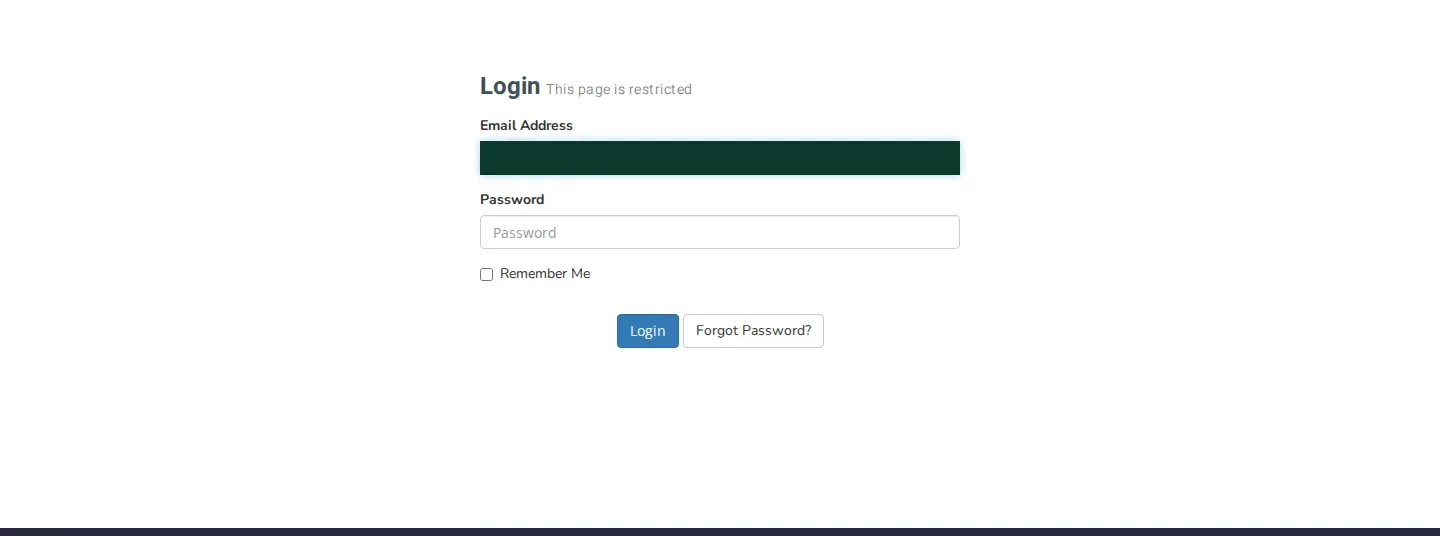
If you have two-factor authentication enabled, the client area then asks for the code from your app or YubiKey.
Shared computer
Do not tick Remember Me on a computer you share with others, and log out via Logout when you are done.
Forgot your password
- On the login page, click Forgot Password?.
- On the Lost Password Reset page, enter the email address of your account under Email Address.
- Click Submit.
- You receive an email with instructions. Follow the link in that email and choose a new password.

No email received?
Check your spam folder and make sure you used the email address of your account. If you no longer know which address that is, or you no longer have access to it, open a ticket.
Check
After logging in you see the dashboard with Welcome Back and your name. It shows your services, tickets and invoices at a glance.
The client area is shown in Dutch by default. You can switch to English with the language menu at the top of the page.
Related articles
Did this article help you?
Related articles
How do I change the password of my client area?
Change the password you use to log in to the my.planetnode.net client area via My Details and Change Password, in a few simple steps.
How do I enable two-factor authentication (2FA)?
Secure your client area with two-factor authentication: choose Yubico or Time Based Tokens with an app like Google Authenticator and enable 2FA.
How do I open a ticket and which department do I choose?
Open a support ticket in the client area and choose the right department: Support, Sales or Administratie, so your question lands in the right place.
Where can I find my services and how do I open the panel of a service?
Find all your services in the client area under Services and My Services, and open the management panel of a service with Go to Panel.