How do I open a ticket and which department do I choose?
Open a support ticket in the client area and choose the right department: Support, Sales or Administratie, so your question lands in the right place.
By Hermie Updated
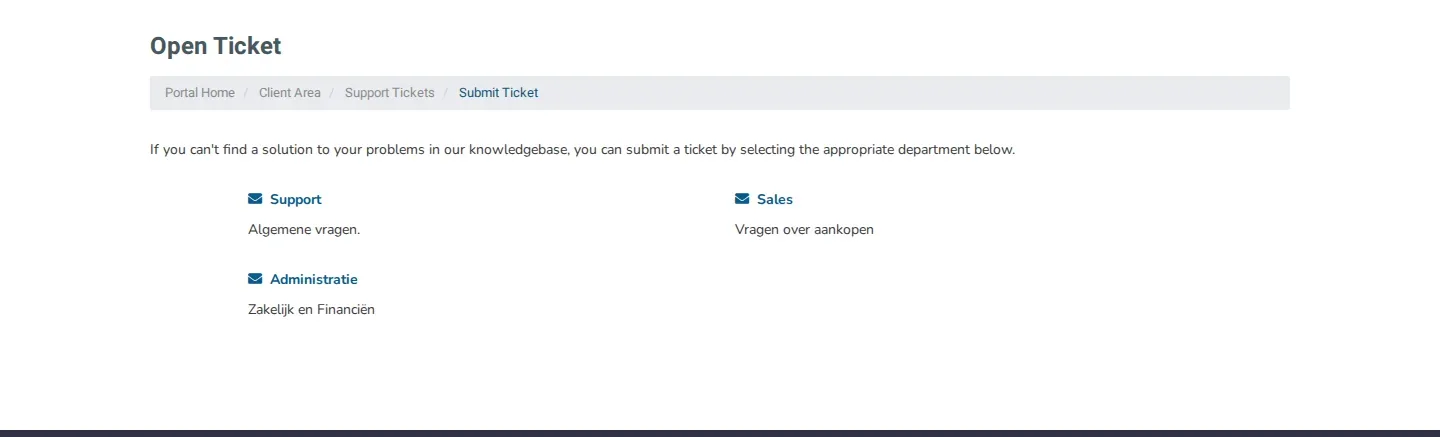
You open a ticket in the client area via Open Ticket. You first choose a department and then fill in the form. Pick the department that fits your question, so your ticket reaches the right people straight away.
Which department do you choose?
| Department | Description in the client area | Choose it for, for example |
|---|---|---|
| Support | Algemene vragen (general questions) | Technical questions or problems with a service |
| Sales | Vragen over aankopen (questions about purchases) | Questions before you order, or about a package |
| Administratie | Zakelijk en Financiën (business and finance) | Invoices, payments and your company details |
The department names and descriptions are shown in Dutch in the client area.
Open a ticket
- Log in to my.planetnode.net.
- In the top menu, click Open Ticket.
- Click the department that fits your question.
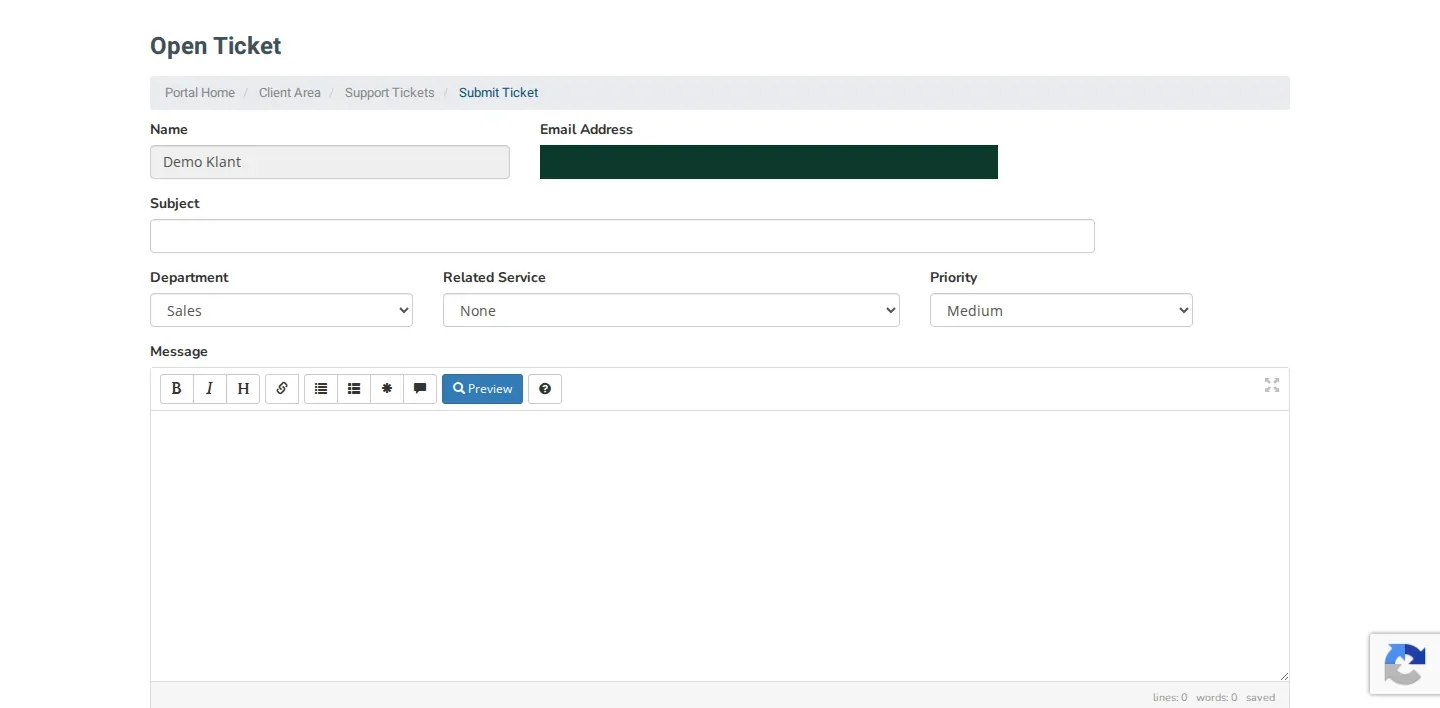
- Enter a short, clear description under Subject.
- Check the Department. You can still change it here.
- Under Related Service, choose the service your question is about, if applicable.
- Choose the Priority.
- Describe your question or problem under Message.
- Optionally add a screenshot under Attachments. Allowed are .jpg, .gif, .jpeg and .png.
- Click Submit.
Get help faster
Always choose the right Related Service and describe what you did, what you expected and what happened. A screenshot of an error message helps too. Never include your password in a ticket.
Find your tickets
In the top menu, click Support and then Tickets. The My Support Tickets page lists all your tickets with the Department, Subject, Status and Last Updated. On the left you filter by status: Open, Answered, Customer-Reply or Closed.
Not logged in?
You can also open a ticket via planetno.de/ticket.
Did this article help you?
Related articles
How do I change the password of my client area?
Change the password you use to log in to the my.planetnode.net client area via My Details and Change Password, in a few simple steps.
How do I enable two-factor authentication (2FA)?
Secure your client area with two-factor authentication: choose Yubico or Time Based Tokens with an app like Google Authenticator and enable 2FA.
How do I log in to the client area and what do I do if I forgot my password?
Log in to the my.planetnode.net client area with your email address and password, or request a new password if you have forgotten it.
Where can I find my services and how do I open the panel of a service?
Find all your services in the client area under Services and My Services, and open the management panel of a service with Go to Panel.