Where can I find my services and how do I open the panel of a service?
Find all your services in the client area under Services and My Services, and open the management panel of a service with Go to Panel.
By Hermie Updated
All your services are in the client area under Services and My Services. Click a service to open the Manage Product page. It shows the details of the service, and Go to Panel opens its management panel, for example the game panel of your server.
View your services
- Log in to my.planetnode.net.
- In the top menu, click Services and then My Services. You can also click View All under Your Active Products/Services on the dashboard.
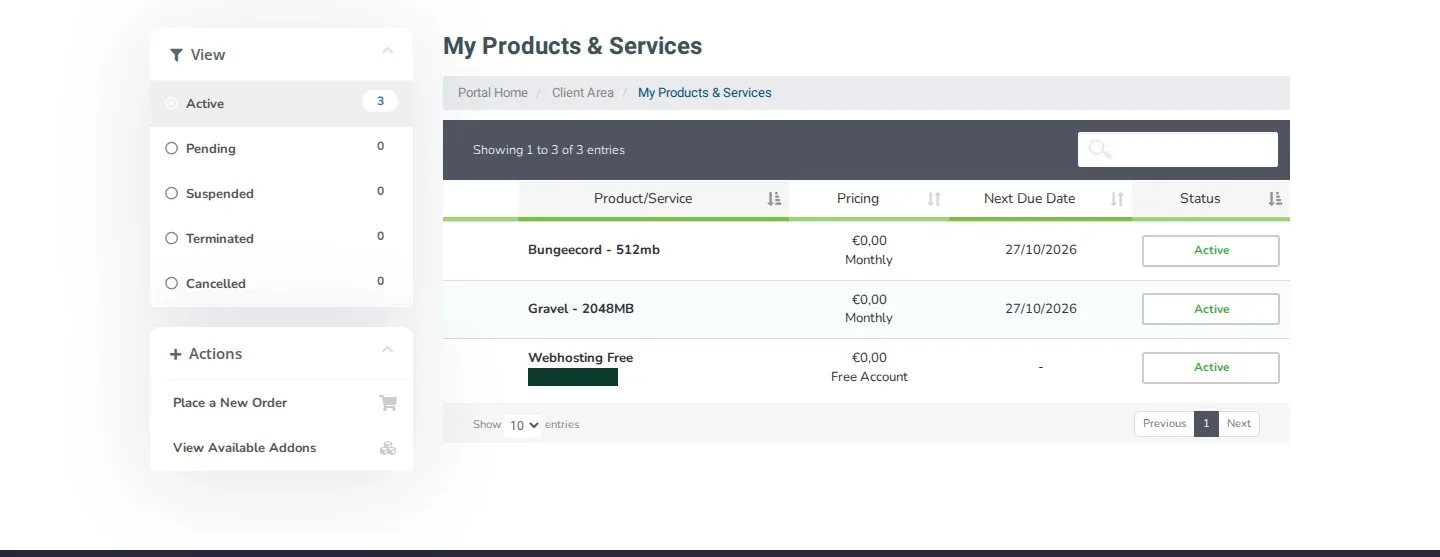
- You see the My Products & Services page with the Product/Service, Pricing, Next Due Date and Status of each service.
Filter by status
On the left under View you filter by Active, Pending, Suspended, Terminated or Cancelled. By default you see your active services.
Open the panel of a service
- Click the service in the list.
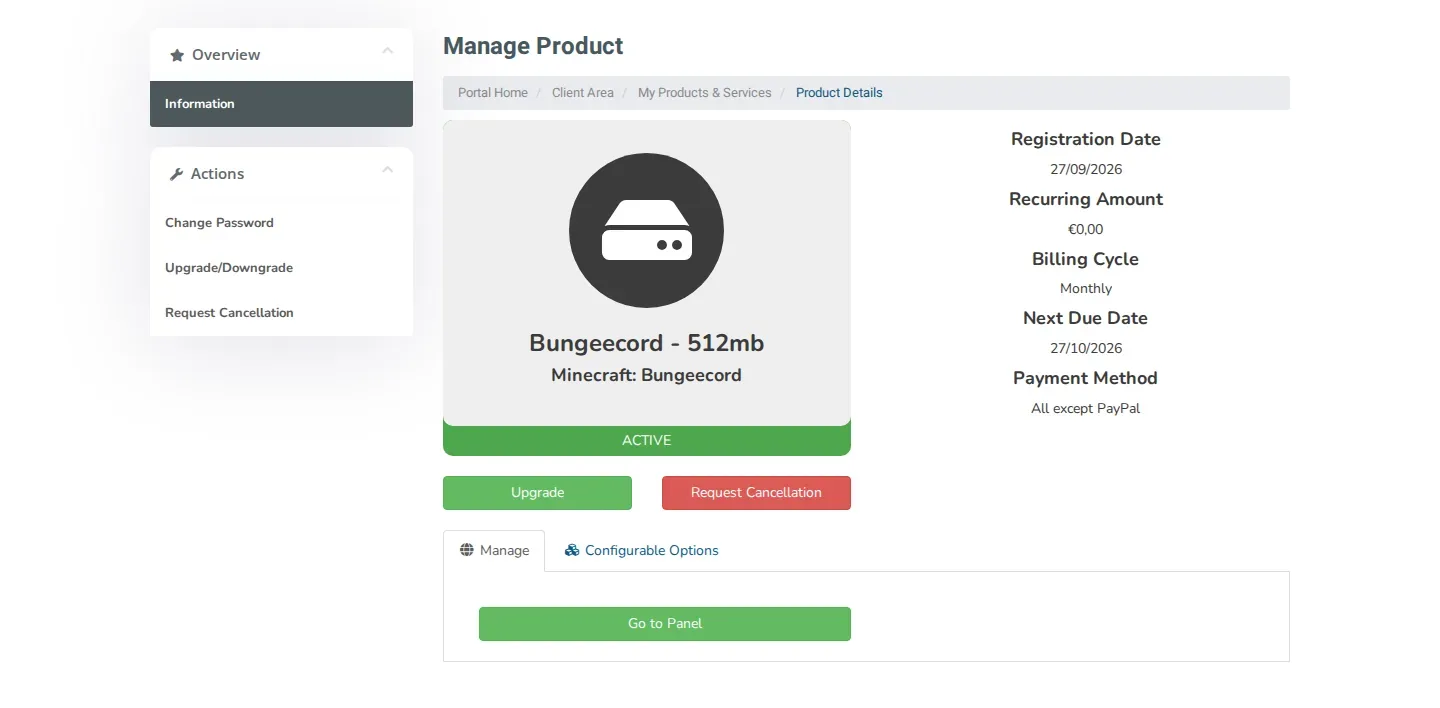
- The Manage Product page opens. On the right you see, among other things, the Registration Date, Billing Cycle, Next Due Date and Payment Method.
- On the Manage tab, click Go to Panel. The management panel of the service opens.
What else can you do on this page?
- Configurable Options: this tab shows the options you chose when ordering.
- Upgrade, or Upgrade/Downgrade under Actions: move your service to another package.
- Request Cancellation: cancel your service.
- Change Password under Actions: change the password of this service. This is not the password of your client area.
Related articles
Did this article help you?
Related articles
How do I change the password of my client area?
Change the password you use to log in to the my.planetnode.net client area via My Details and Change Password, in a few simple steps.
How do I enable two-factor authentication (2FA)?
Secure your client area with two-factor authentication: choose Yubico or Time Based Tokens with an app like Google Authenticator and enable 2FA.
How do I open a ticket and which department do I choose?
Open a support ticket in the client area and choose the right department: Support, Sales or Administratie, so your question lands in the right place.
How do I log in to the client area and what do I do if I forgot my password?
Log in to the my.planetnode.net client area with your email address and password, or request a new password if you have forgotten it.